
 At CPSS, we don’t just protect homes—we make them smarter, more responsive, and uniquely yours. One of the best ways we do that is through custom automation scenes—that is, preset combinations of devices (locks, lights, thermostats, security system) all acting together at the touch of a button or voice command.
You know your home is one-of-a-kind. Now it can behave that way too.
What’s a “Scene”?
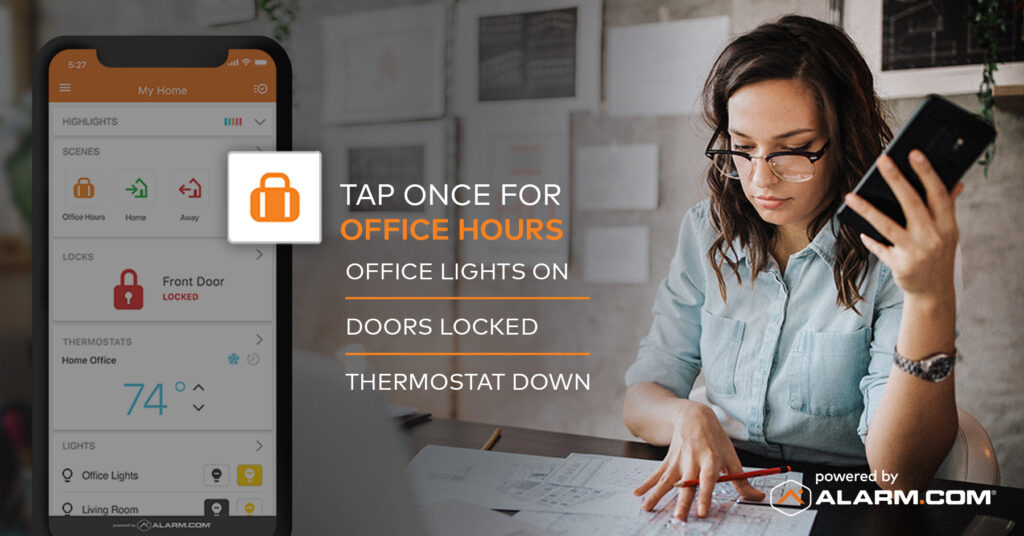
In the CPSS Smart Home system (powered by Alarm.com technology), a Scene is a shortcut to multiple actions across your devices—think of it as a macro-command for your home. For example: leave the house → lock the doors, arm the system, turn off lights, adjust the thermostat. All with one tap. (Alarm.com)
Pre-built Scenes include:
- Home – you arrive, system disarms, lights come on.
- Away – you leave, system arms, doors lock, lights go out. (Alarm.com)
- Sleep / Goodnight – lights dim/off, thermostat adjusts, home secures.
- Wake Up – thermostat warms, lights turn on, system disarms.
Why Scenes Matter for Florida Homes
- Enhanced security with convenience: Rather than remembering to lock doors, adjust temperature, turn off lights, you can trigger it all in one step—leaving less room for human error.
- Energy and cost savings: Leaving home? Your thermostat resets and unneeded lights shut off automatically—smart comfort and efficiency.
- Tailored comfort: Movie night? Kids’ bedtime? Entertain outdoors? Scenes let you define exactly how your home responds to those moments.
- Seamless integration: CPSS systems tie your security, lighting, locks, thermostat, cameras, and more into one central, manageable system.
How to Set Up Scenes with CPSS
Here’s how it works when you’re a CPSS homeowner:
- We install your CPSS Smart Hub and compatible devices (locks, lighting, thermostat, cameras, sensors).
- Through our CPSS/Alarm.com app, you’ll find default Scenes (Home, Away, Sleep, Wake Up).
- With our guidance (or our installation team’s setup), you can customize:
- Pick a name (e.g., “Movie Night,” “Guests Arrive”)
- Select which devices to include (lock front door, dim lights, set thermostat, close shades)
- Assign how each device should behave when you trigger the Scene. (Alarm.com)
- Use voice commands or the app widget for easy activation: “Hey Siri, Movie Night” or tap the button. (Alarm.com)
- Test and tweak: Make sure the Scene behaves just the way you want—and adjust it anytime.
Scene Ideas for Your Home
Here are a few ready-to-go ideas you might ask us to set up:
- “Leaving for Vacation”: Arm system, lock all doors, turn off lights, set thermostat to eco-mode, close garage.
- “Kids Bedtime”: Lock main entry, dim hallway & common-area lights, arm perimeter sensors, enable upstairs motion.
- “Backyard Entertain”: Turn on patio lights, set thermostat to a comfortable level, unlock side gate, disarm guest-access sensor temporarily.
- “Storm Mode” (Florida-specific): Close smart shades, turn on flood-and-motion cameras, lock doors, send you a live notification if garage door opens.
Why CPSS is the Right Partner for Scenes
- Professional installation & monitoring: Unlike DIY systems, with CPSS you get expert setup and 24/7 monitoring behind it—so Scenes aren’t just gimmicks, they’re part of a robust security ecosystem.
- Local support with deep experience: With over 50 years in business in Florida, CPSS knows the unique needs of homeowners here—from storms to vacation homes.
- Future-ready smart home: As devices evolve, your CPSS Scenes evolve with them—keeping your home smarter, safer, and more efficient.
The Bottom Line
Don’t just own a smart home. Own the experience. With CPSS Scenes you get more than tamper alerts and cameras—you get a home that responds your way. One tap, one voice command, one moment of effortless control.
Ready to make your home behave exactly the way you want it to? Call CPSS at 800-949-1799 and ask about Scenes in your Smart Home package.